Stress-test your designs with Evaluator AI
WinJob Team
10/3/2026
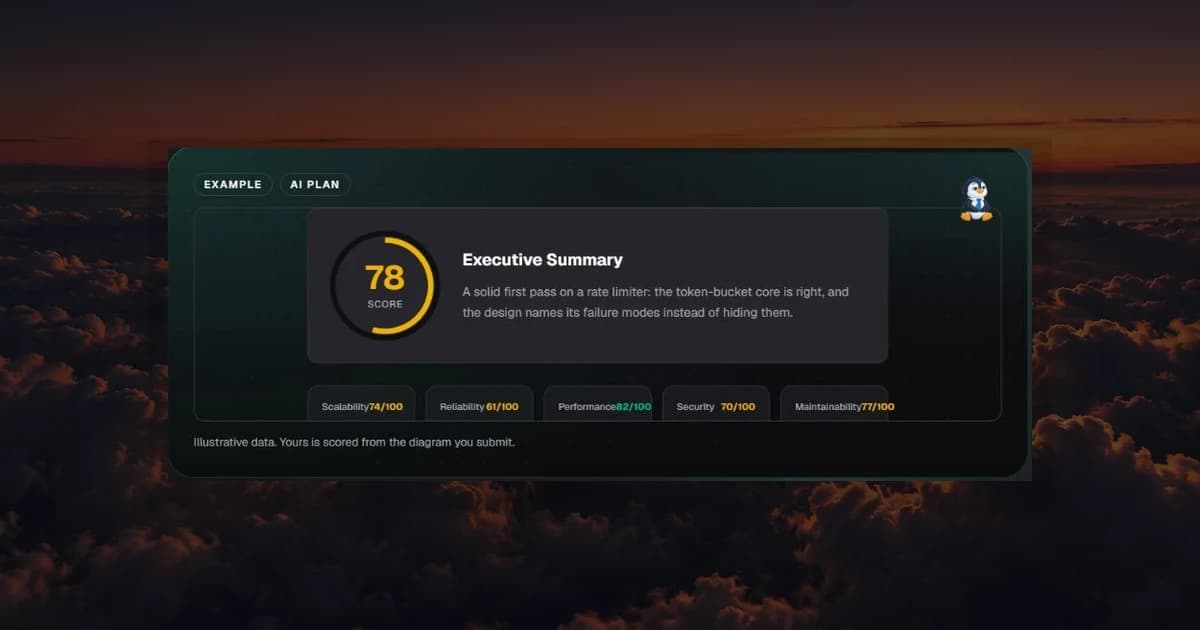
System design interviews punish silent flaws. A diagram can look complete and still hide a single point of failure, a hand-wavy consistency story, or a cache that fails closed when it should fail open. Friends are kind. Interviewers are not. You want the harsh pass before the room, not after.
Evaluator AI is that harsh pass. Submit the architecture you would defend, and get a scored debrief with sub-scores and a SWOT you can act on while there is still time to revise.
Why diagrams need a pre-interview review
Most candidates practice design by talking to themselves or redrawing the same happy path. The happy path is rarely what ends the interview. Follow-ups attack failure modes, multi-region reality, data correctness, and operational ownership. If those answers are not in the diagram or in your narrative, the score drops fast.
Human mocks help when you can get them. They are also scarce, expensive, and inconsistent. Evaluator AI does not replace a strong interviewer. It gives you a repeatable critique loop on demand, with the same credit wallet as the rest of WinJob's AI tools.
How Evaluator AI works
The flow is deliberately short:
- Choose the prompt or question you are practicing (often one Prediction AI already ranked for your loop).
- Upload or capture the architecture diagram you would put on the whiteboard.
- Receive an overall score, five sub-scores, and a SWOT with concrete fixes.
The sub-scores matter more than the headline number. A design can look "fine" overall while collapsing on reliability or operability. Fix the weak axis first.
What a useful SWOT looks like
Strengths should name real choices: clear write path, sensible partition key, explicit idempotency. Weaknesses should be specific enough to edit: "single Redis instance with no fail-open policy," not "improve scalability." Opportunities point at the next revision. Threats call out what an interviewer will poke.
If the feedback is too vague to change a box on the diagram, ignore the fluff and re-run with a clearer drawing. Garbage in still produces noise out.
A walkthrough: rate limiter under fire
You are practicing a public API rate limiter. Your first diagram has an edge gateway, a blob labeled "Redis counters," and a hopeful arrow back to the API. It would survive a casual glance.
Evaluator AI scores it in the high seventies and then gets annoying in the useful way. Strengths: clear request path, token-bucket language in the notes. Weaknesses: no story for Redis loss, no fairness across tenants, weak multi-region plan. Action items: add a fail-open or fail-static policy, define counter key design, show what happens when the limiter itself is down.
You revise the diagram. You add a local decision cache, a documented degradation mode, and a short note on reconciliation after Redis recovery. The second run is not about chasing 100. It is about removing the landmines you would have stepped on live.
That revision loop is the product.
Pair Evaluator with the rest of the OS
Evaluator AI is sharpest inside a full prep system:
- Use Prediction AI to choose which design to draw.
- Study the deep authored answers in Win System Design when a sub-score exposes a concept gap.
- Schedule diagram practice days inside Interview Sprint so critique happens before the onsite, not the morning of.
- Keep resume claims honest with Resume AI so you do not diagram systems you cannot narrate from experience.
AI feedback without a study path becomes theater. WinJob keeps the score next to the library that teaches the fix.
What Evaluator will not do
It will not invent production war stories you never lived. It will not guarantee the exact question. It will not replace your judgment when a suggestion conflicts with constraints you were given. Treat it like a strict staff engineer in a design review: listen, argue with evidence, then ship the clearer board.
Credits are metered and ledgered. You should know what a run costs and what you got for it.
Run the stress test
Draw the design you plan to defend. Then make the software complain first.
Open Evaluator AI and upload the diagram, or create your WinJob account if you still need access. When the SWOT comes back, fix one weakness before you chase a prettier overall score.
Walk into the interview with a board you have already pressure-tested.